Clinical Rules & Data Pulls
Last updated: September 2, 2026
Watch our video below to learn more about rules and data pulls are set up in exacare!
Overview
Our AI tool uses rules defined by your organization and evaluates them against each referral.
A rule is a specific criterion or condition that a referral must meet (such as age requirements, diagnosis exclusions, or clinical thresholds).
A data pull is an extraction of specific information from the referral documentation. Data pulls do not affect the AI's admissions suggestion.
Creating Rules Across Your Organization
Rules, Med Rules, and Data Pulls can be set up once and shared across one or multiple facilities. Depending on how you target them, rules configured in exacare ai can be applied to referrals across specific facilities, groups of facilities, facility types, or regions.
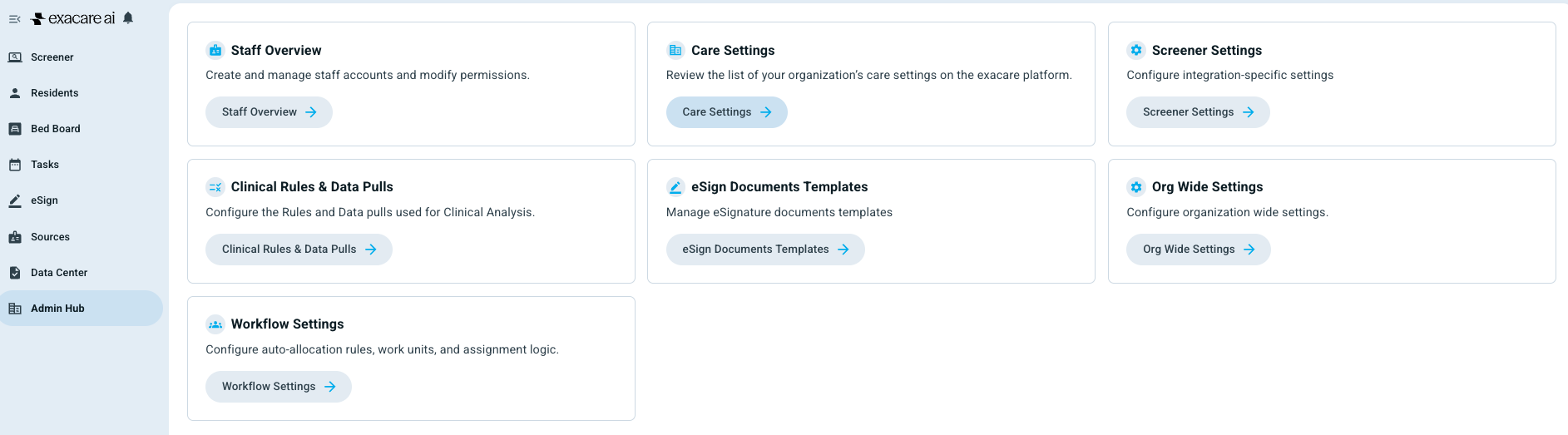
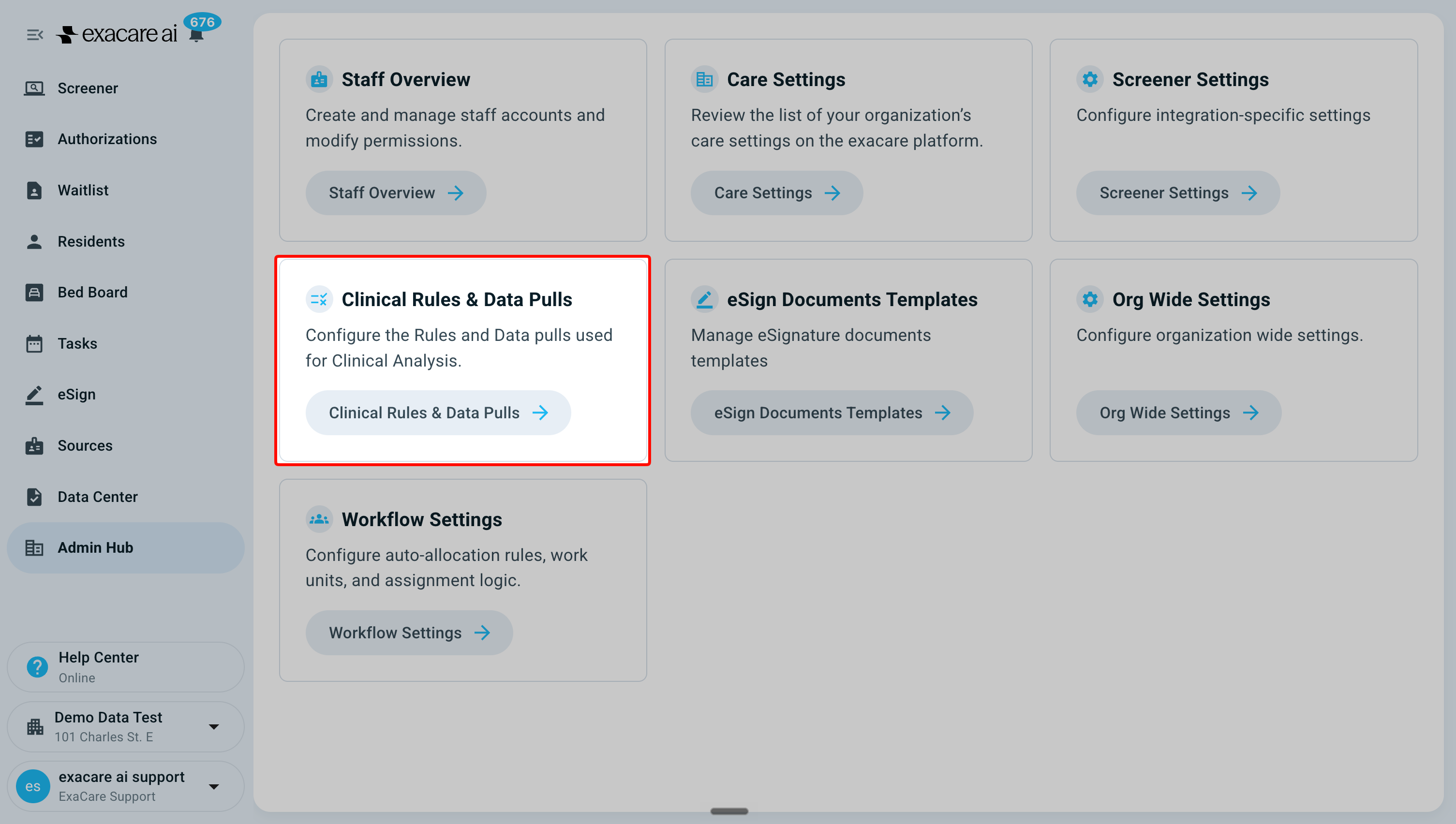
To view and edit rules, you can navigate to Admin Hub → Clinical Rules & Data Pulls.
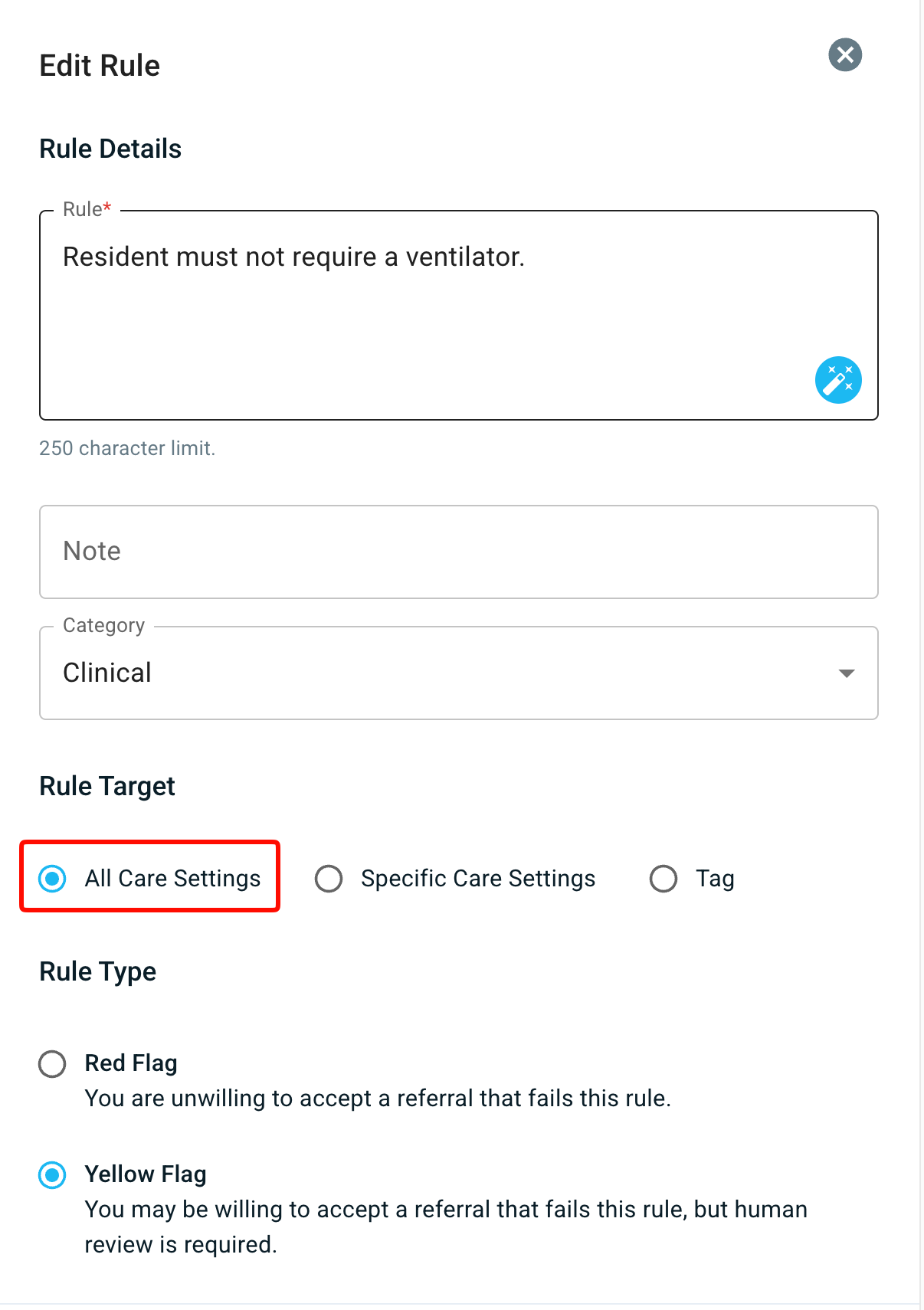
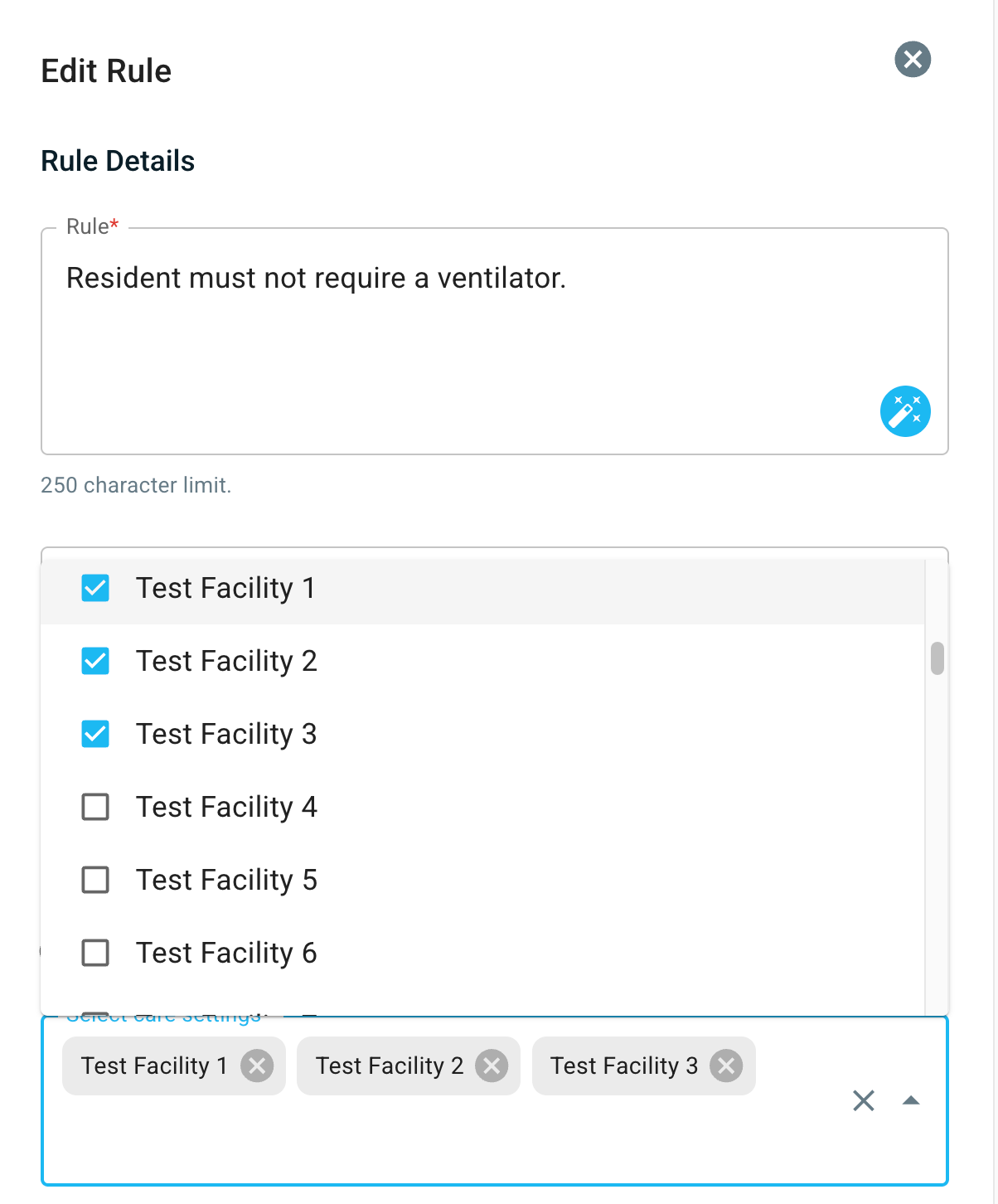
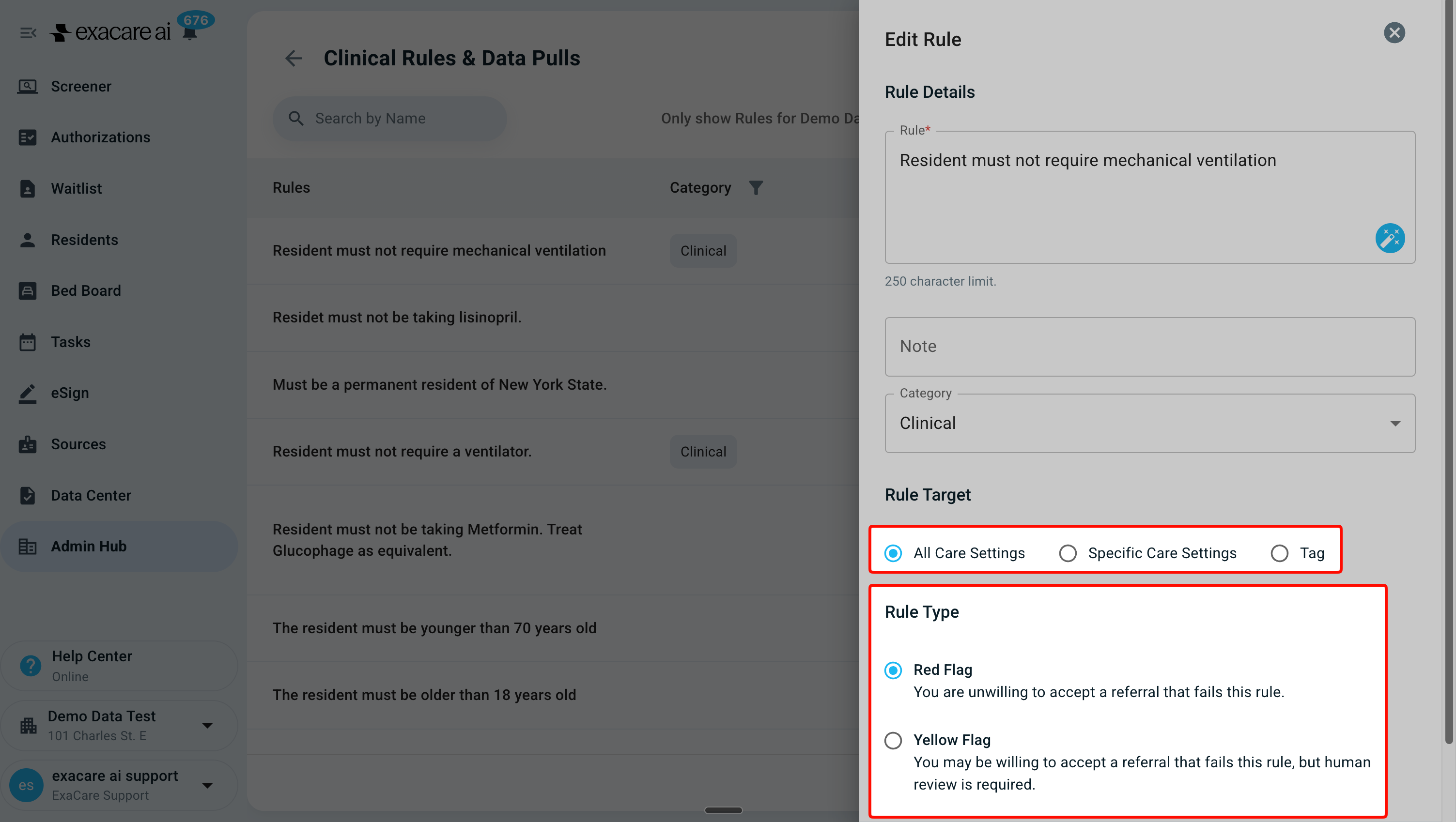
Each rule can target one of three audiences:
All Care Settings – The rule applies to all referrals coming into your organization
Care Specific Locations – The rule applies only to referrals coming into specific facilities
Facilities matching one or more tags – The rule applies to referrals coming into any facility whose tags match such as care setting type (SNF, Home Health) or State.
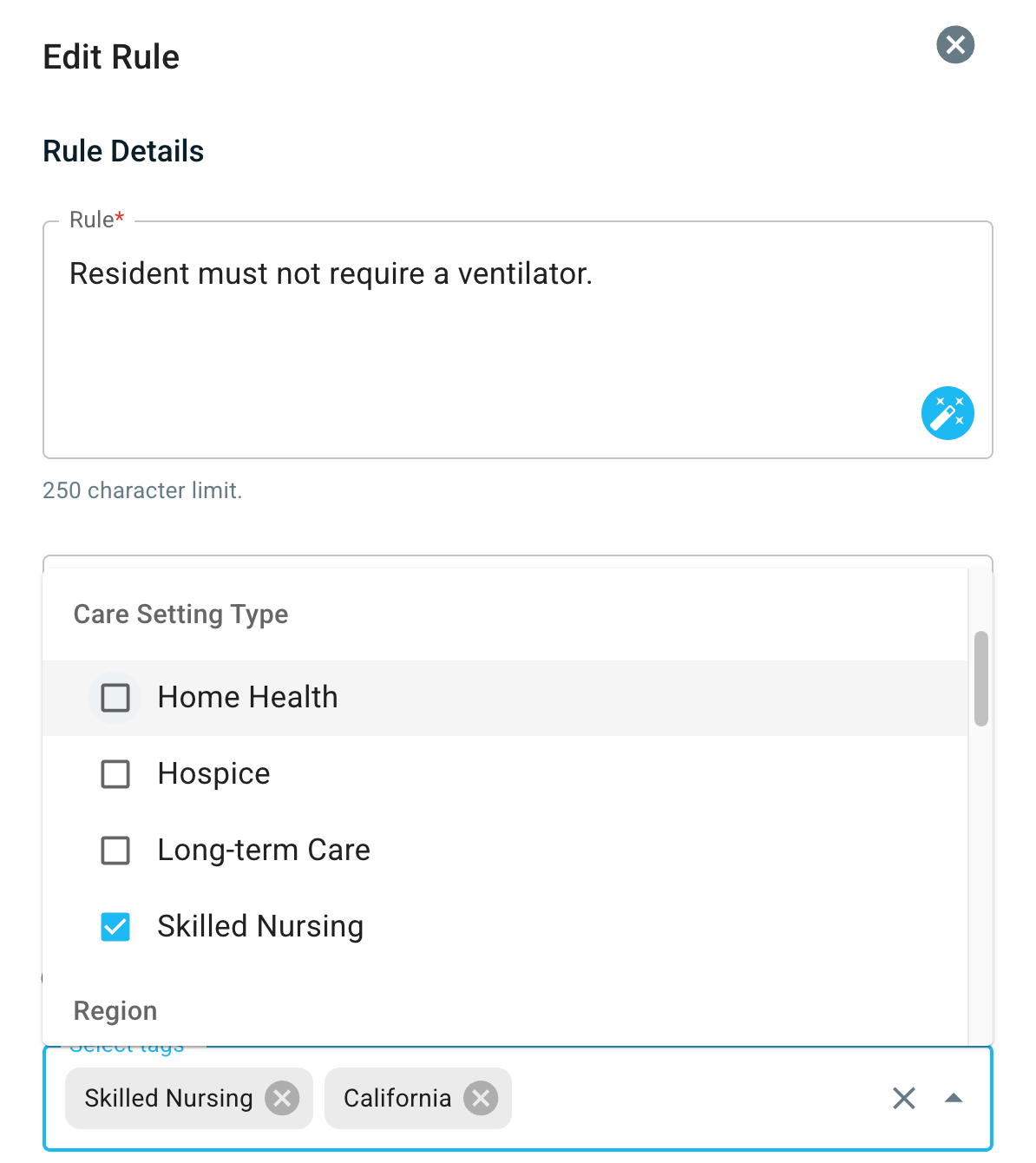
Available tag options:
Custom tags you can give to any facility or agency
State (automatically assigned based on facility location)
Example: If you select "Texas", the rule will apply to all Texas facilities
Facility type (SNF, Home Health, Hospice)
Example: If you select "Skilled Nursing", the rule will apply to all SNFs
Region (groups of facilities created by your organization)
Example: If you select "Southeast", the rule will apply to all facilities in the Southeast region
Note: These regions need to be set up within your Admin Hub > Care Settings > Regions. Only superadmins can edit regions
Only those with the system permission to add, edit, remove organization-wide rules or data pulls can touch rules & custom tags.
Yellow vs Red Flag Rules: How they show up in action
There are two types of rules that determine the AI's admissions suggestion:
Red Flag: If the referral fails one or more Red Flag rules, the AI admissions suggestion is 'Reject'.
Yellow Flag: If the referral fails one or more Yellow Flag rules (and no Red Flags), the AI admissions suggestion is 'Maybe', which prompts further review from a team member.
AI Suggestion Results
Reject – Failed at least one Red Flag rule
Maybe – Failed at least one Yellow Flag rule and no Red Flag rules
Pass – Passed all Red Flag and Yellow Flag rules
How to use Rules and Data Pulls
Start by clicking into the referral from the Screener page.
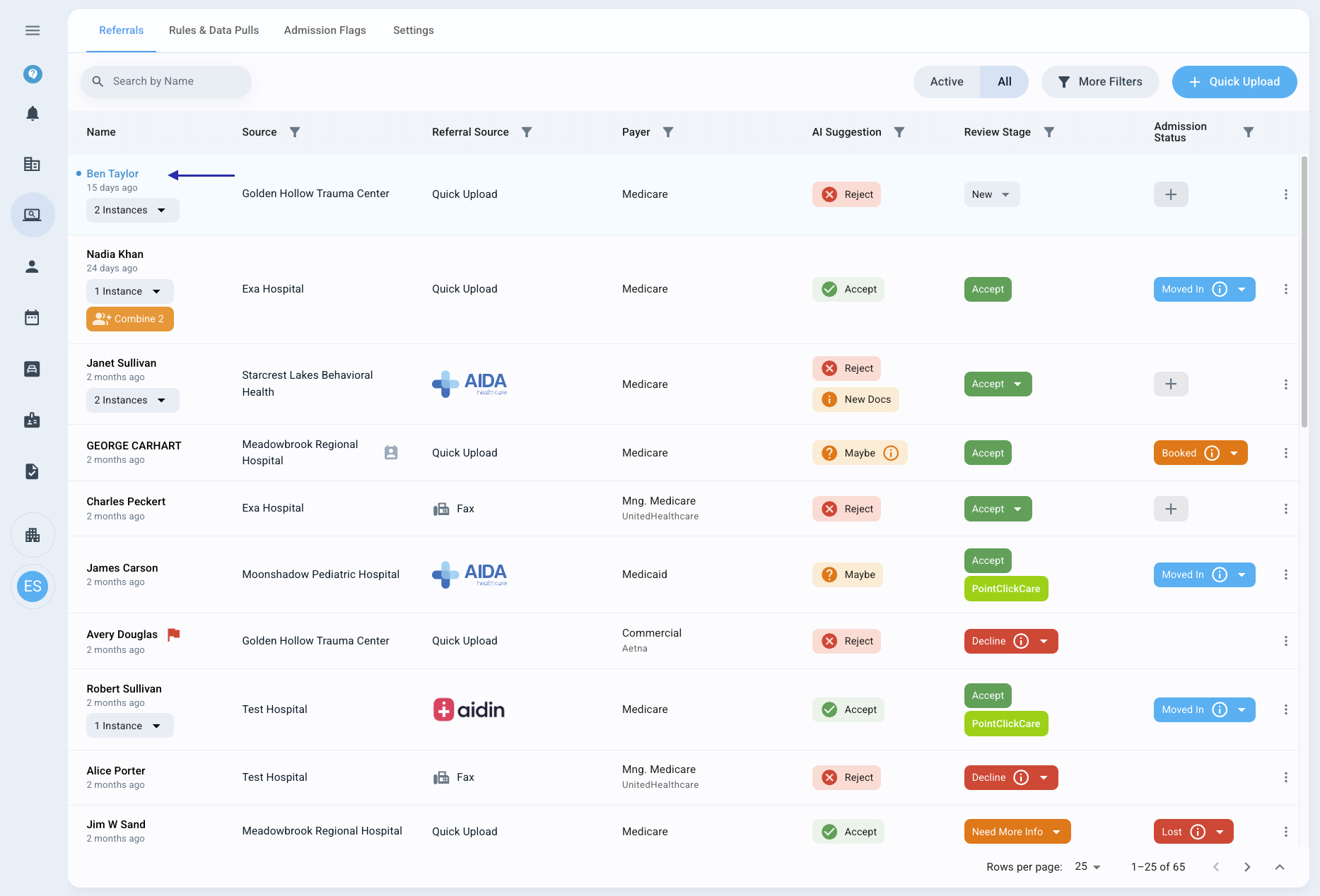
Review the Rules analysis on the right-hand side of the screen to understand the AI Suggestion.

Use the Scroll to visual reference feature to find the area in the package corresponding to the rule.
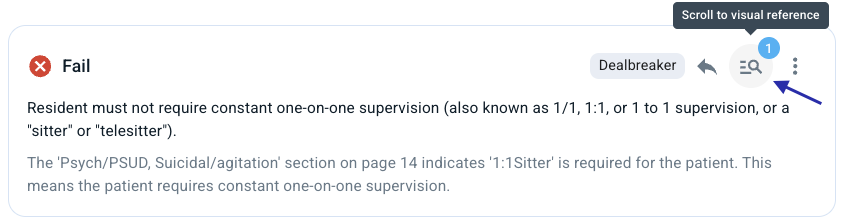
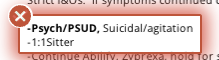
Make a decision based on the information provided in the referral package by indicating a Review Stage.

Select a Review Stage option from the dropdown.
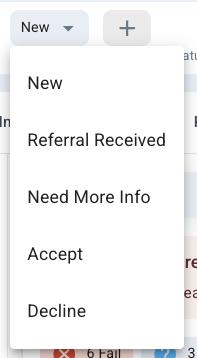
Indicate an Admission Status when applicable.

You can only mark a referral with an Admission Status of 'Booked' or 'Moved In' when you have chosen 'Accept' as their Review Stage.
How to Edit, Add, or Delete Rules
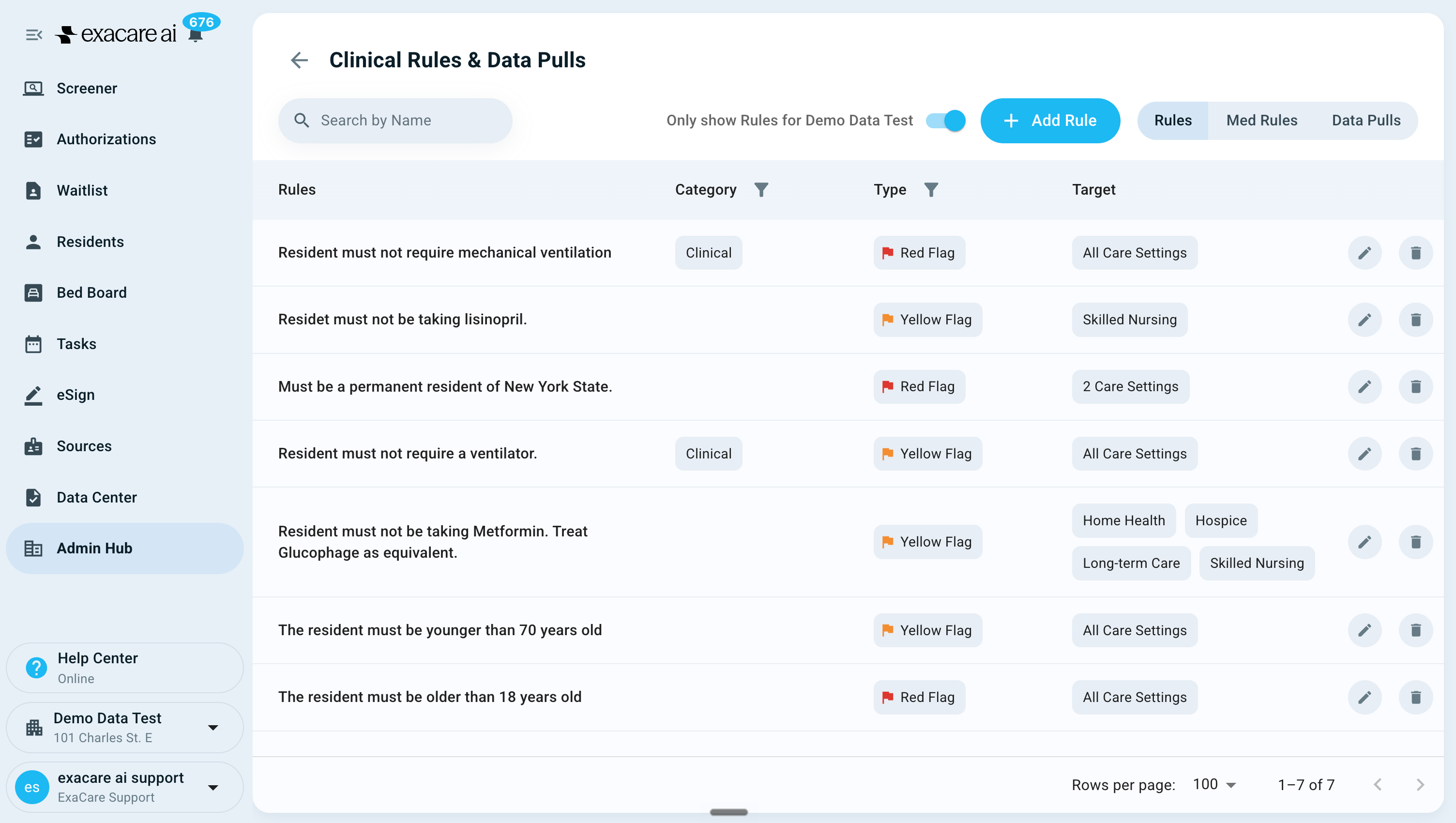
Rules are managed in the Admin Hub. You should create one reusable rule and then set its target!
Where to manage rules:
To view and edit rules:
Go to Admin Hub → Clinical Rules & Data Pulls
From here, you can edit or delete rules using the pencil or trash icons, respectively. You can also add new rules by clicking the blue Add Rule button.
When editing a rule, you can apply it to specific facilities or tags and change its severity between yellow and red.
To view and edit tags:
Go to Admin Hub → Care Settings
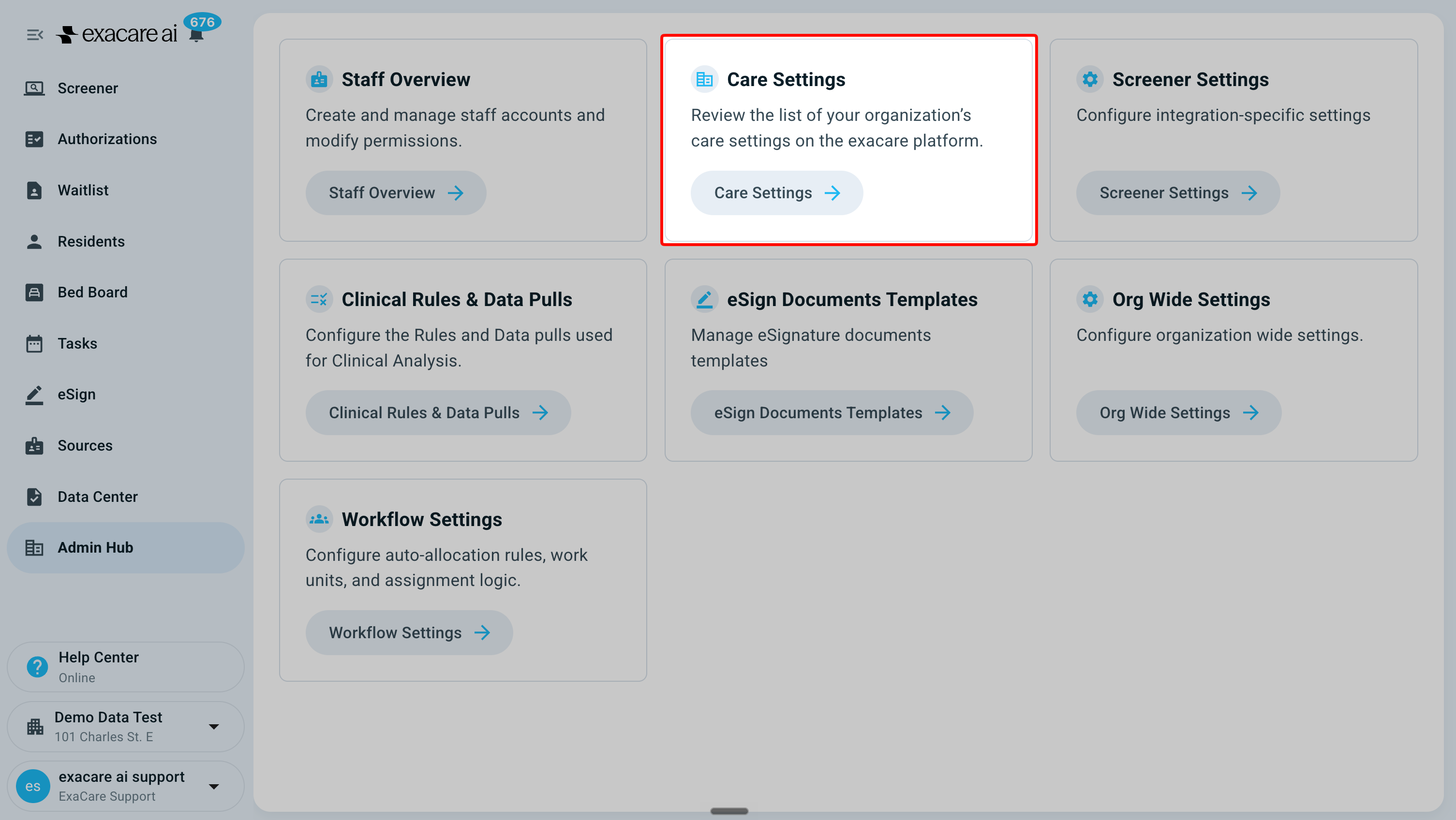
From here, you can view your existing tags or create a new one by clicking the blue Add Tag button.
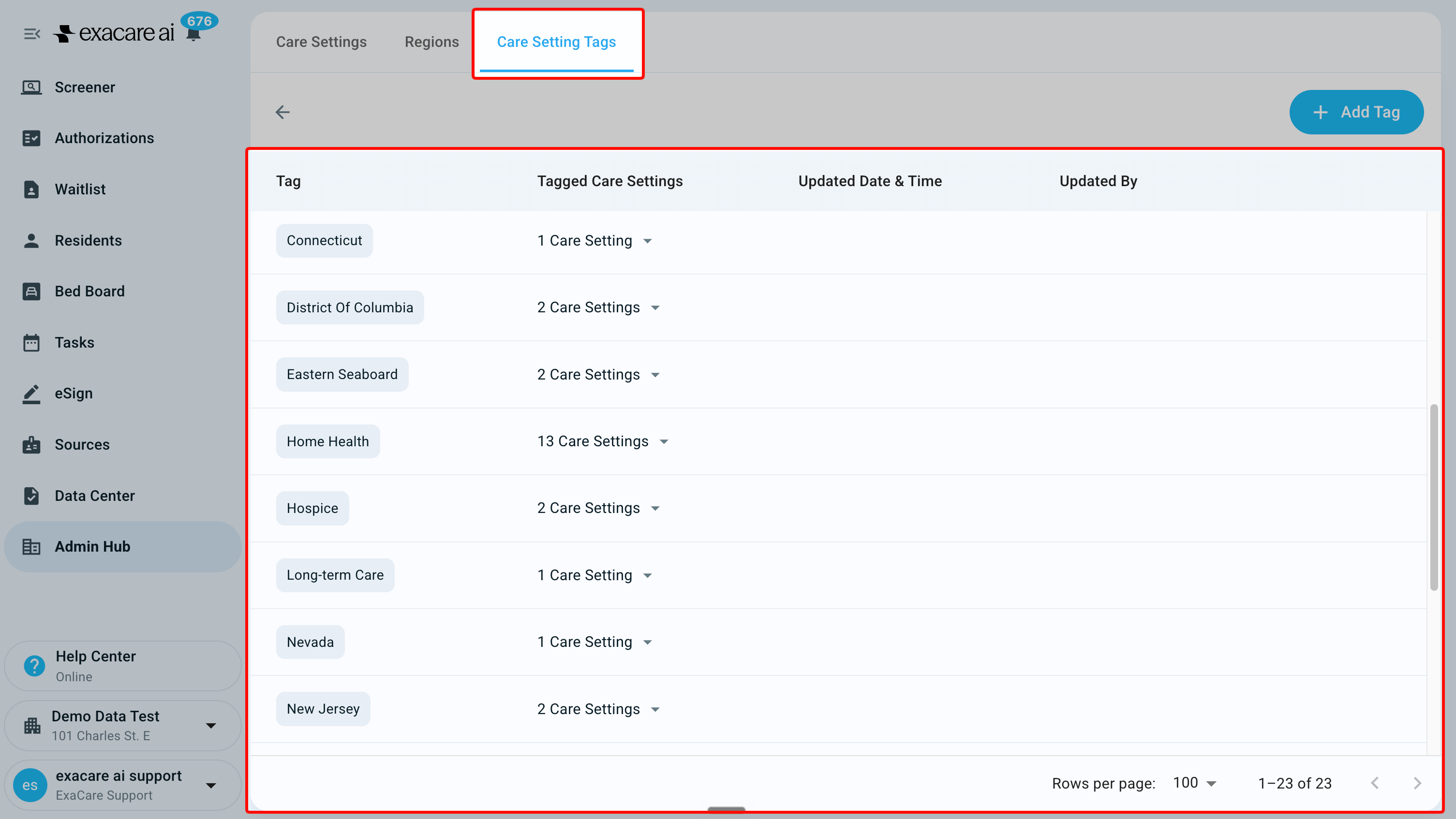
By default, your organization will have all of your agencies/facilities, care setting types, and states available as tag options. Additional custom tags can be added through the Care Settings page.