Sex Offender Screen
Last updated: June 11, 2026
Please refer to this training video for the Sex Offender Screen:
Exacare automatically runs its sex offender checks using the referal's Full Name and Date of Birth. Exacare uses Offenders.io to cross-reference this information against federal and state-level sex offender registries.
Note: If the sex offender registry has not recorded the Date of Birth (DOB) for a given name, exacare will only match on a Full Name basis, which may lead to more matches.
Finding the Sex Offender Screen
Click the Screener tool in your navigation bar to view your referrals.
Select the Patient Referral you want to review.
Click on the Sex Offender Screen tab.
Understanding the Results
Exacare will run the initial check automatically.
No Matches Found: If the screen comes back clear, you will see a message stating that no matches were found in federal or state databases.
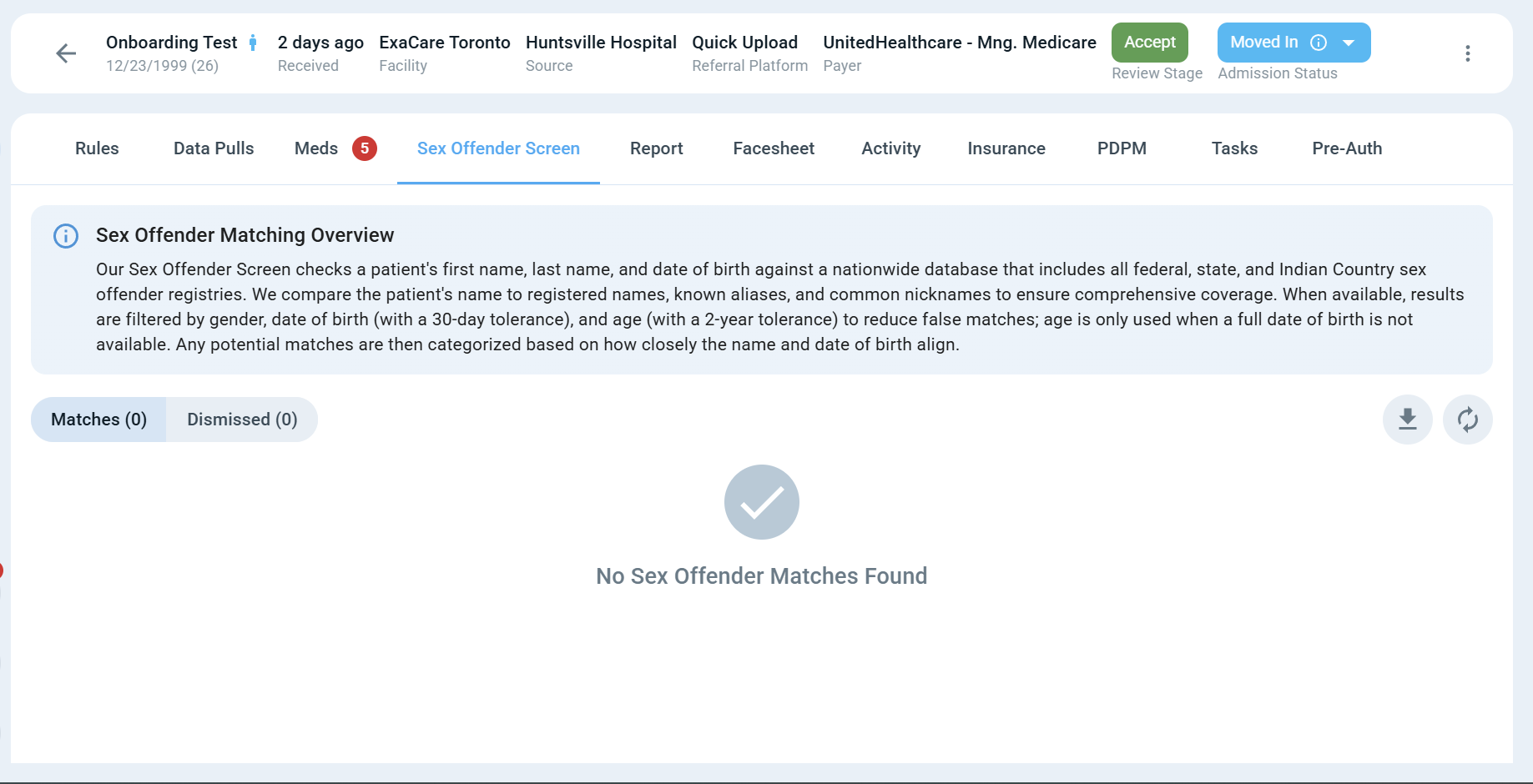
Matches Found: If there are potential matches, a list will appear immediately.
View Details: Click on the Details link next to a result to view specific information provided by the database.
Verify: Remember to compare the details to your patient's records to confirm if the match is accurate.
Quick Tip: To ensure the most accurate results, verify that the patient’s Legal Name and Date of Birth are entered correctly.
How to re-run the screen
You can also manually re-run or update the screen at any time:
Click the Screener tool in your navigation bar to view your referrals.
Select the Patient Referral you want to review.
Select the Sex Offender Screen tab.
Click the re-evaluate button (two arrows).
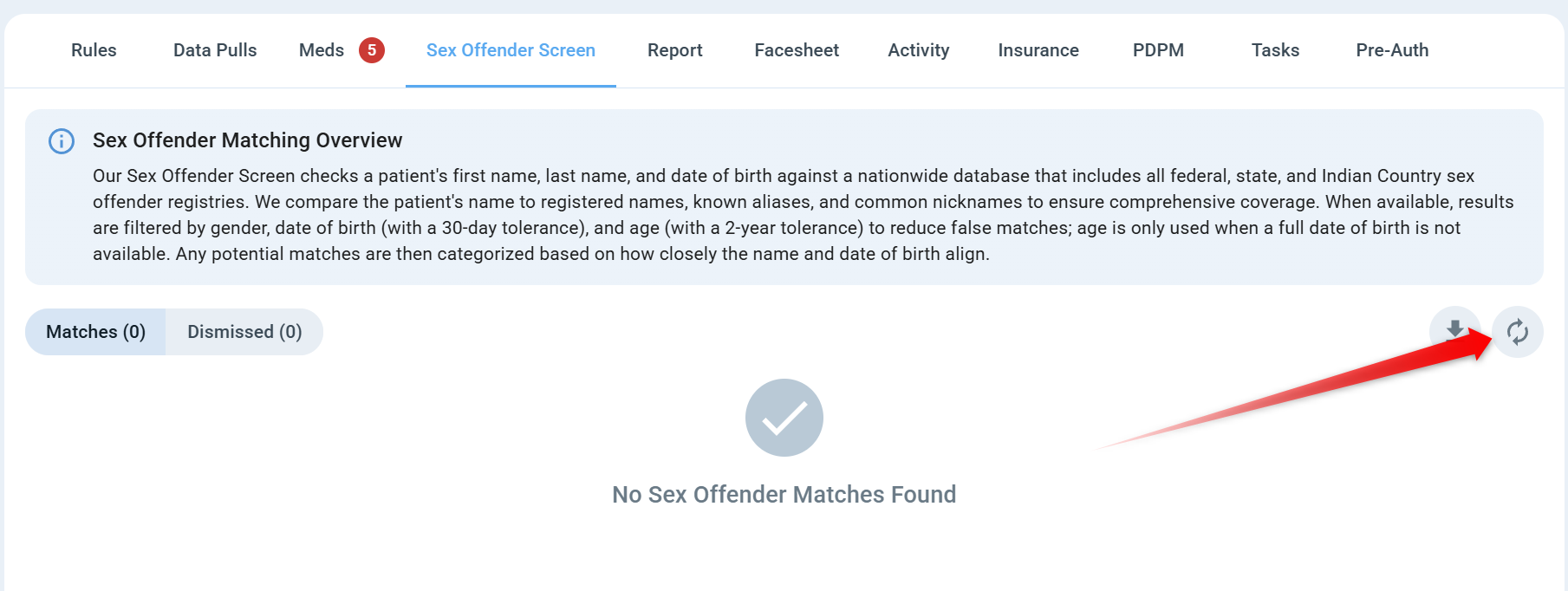
Documentation and Reports
If you need to keep a record of the screening you can download and or print a copy of the sex offender screen:
Click the Download button to save a printable and timestamped copy of the report.
You can push this report over to your EHR (MatrixCare or PointClickCare) in the corresponding tab (See the these articles to learn how to complete a push).