1. Sources and Source Contacts
Last updated: June 11, 2026
What is a Source?
A Source in exacare refers to the hospital from which you receive referrals. When uploading manual referrals, you can select the corresponding hospital as the Source to accurately track where your referrals are coming from as well as add specific contacts for each source.
This helps maintain organized records and streamline the referral management process.
View your Sources in exacare here
Please refer to this training video for a Sources Overview:
Sources are automatically pulled in when a referral comes in through an integration. You should only add a source when you are receiving a referral from a Source you are not integrated with.
How to create a Source
Navigate to https://app.exacare.com/crm/screener/sources
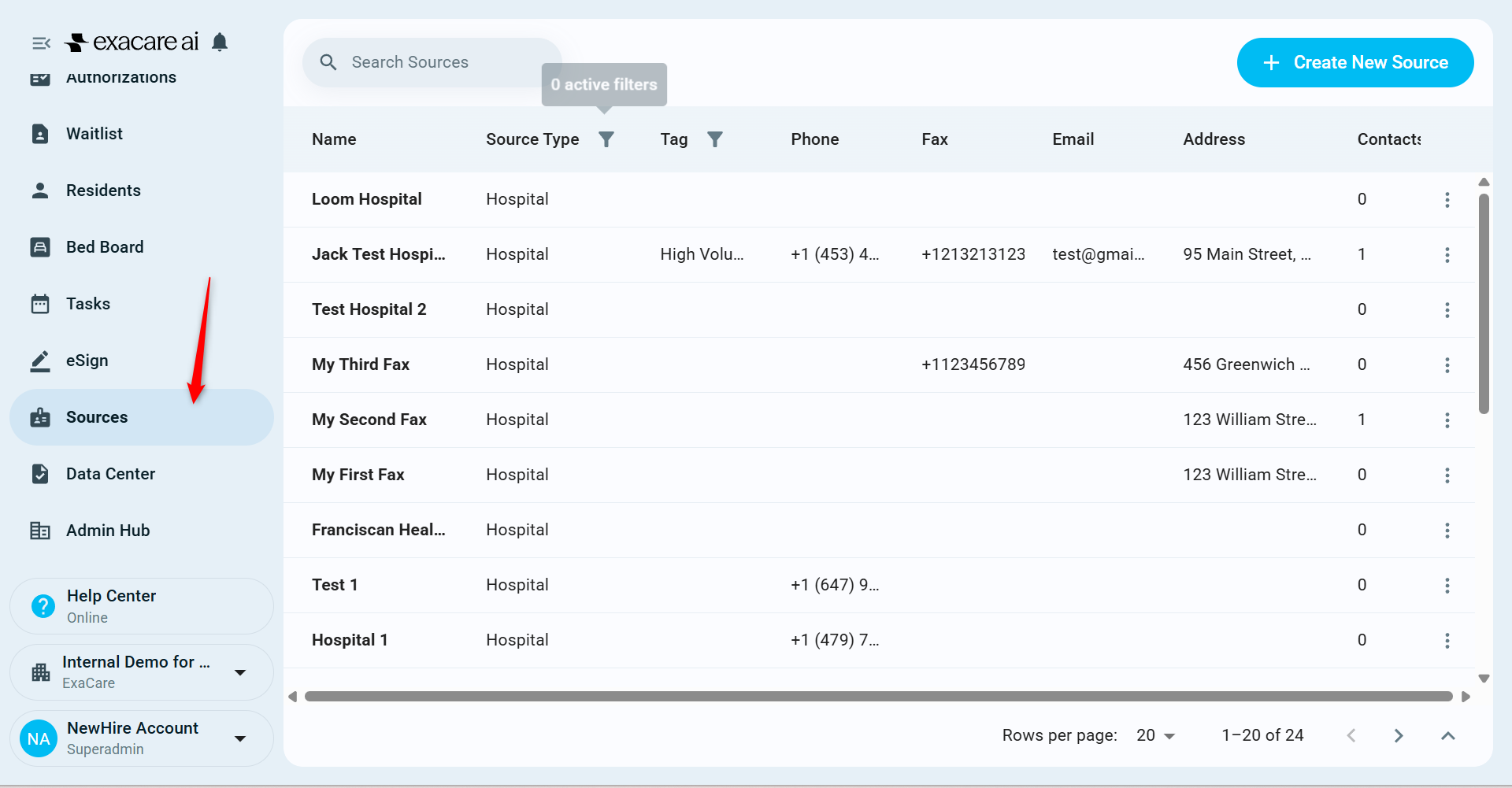
Click + Create New Source in the top right corner

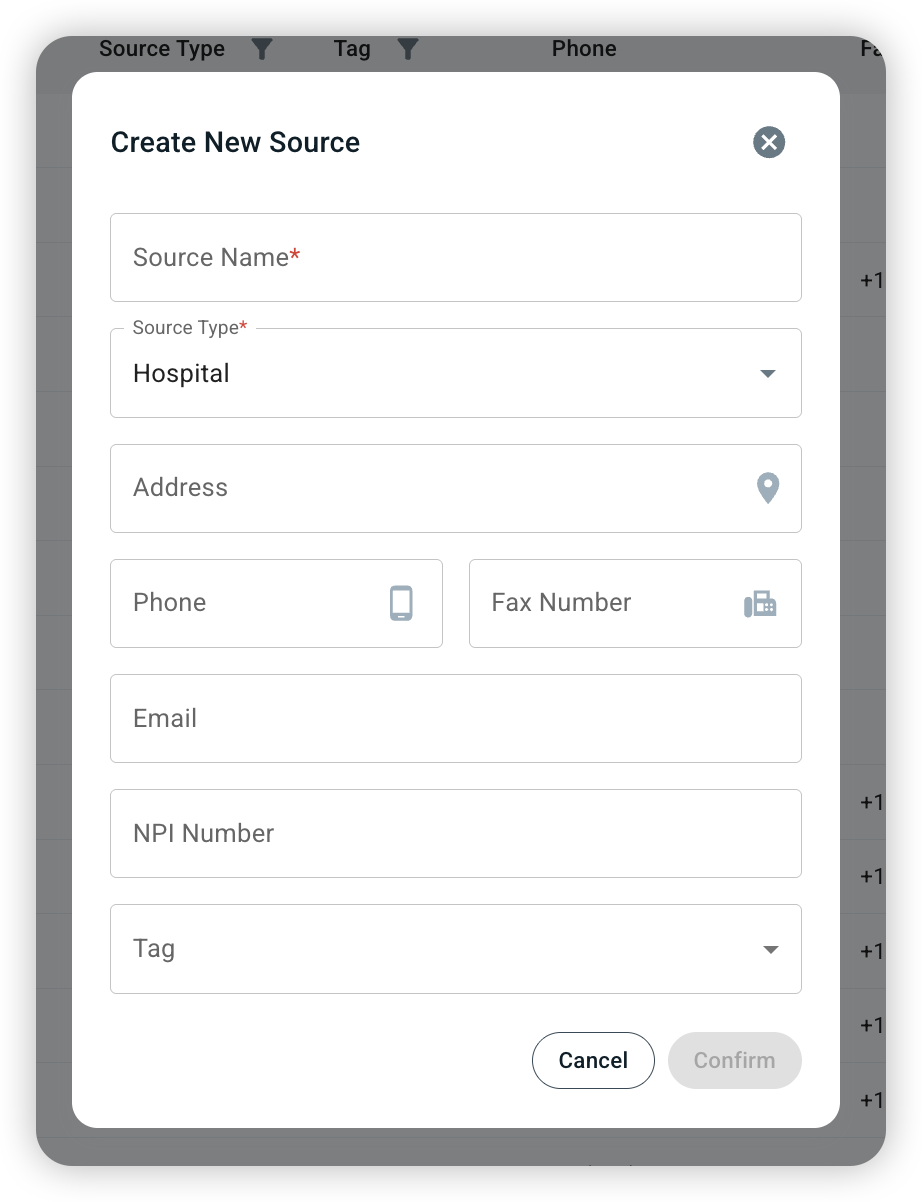
Fill in Source Name and Source Type (required fields) and any other information you have available
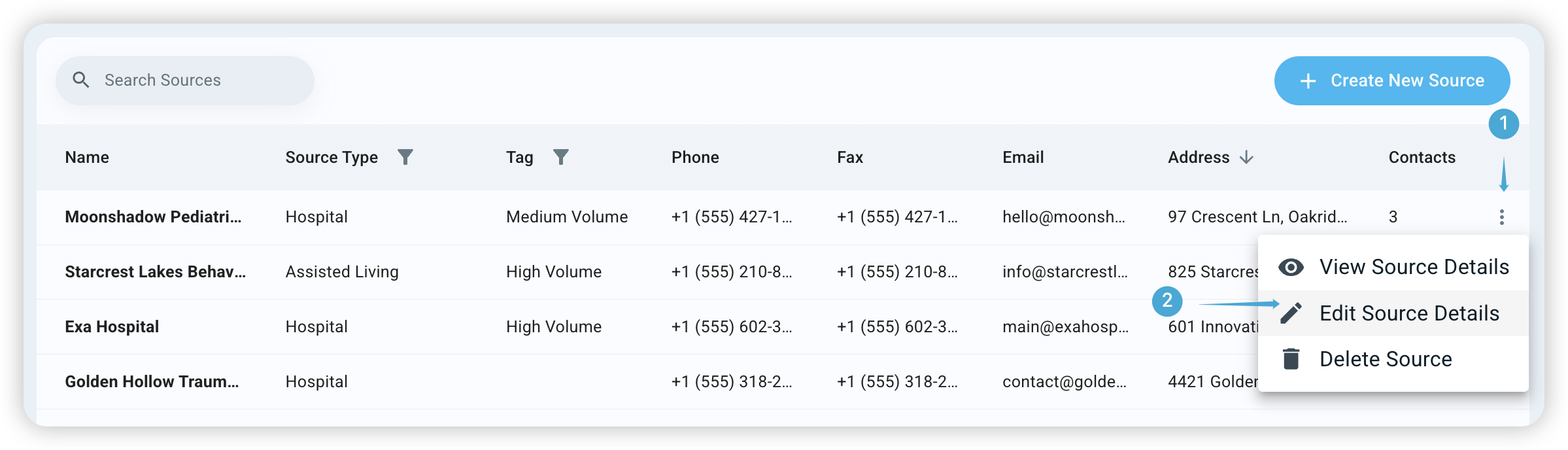
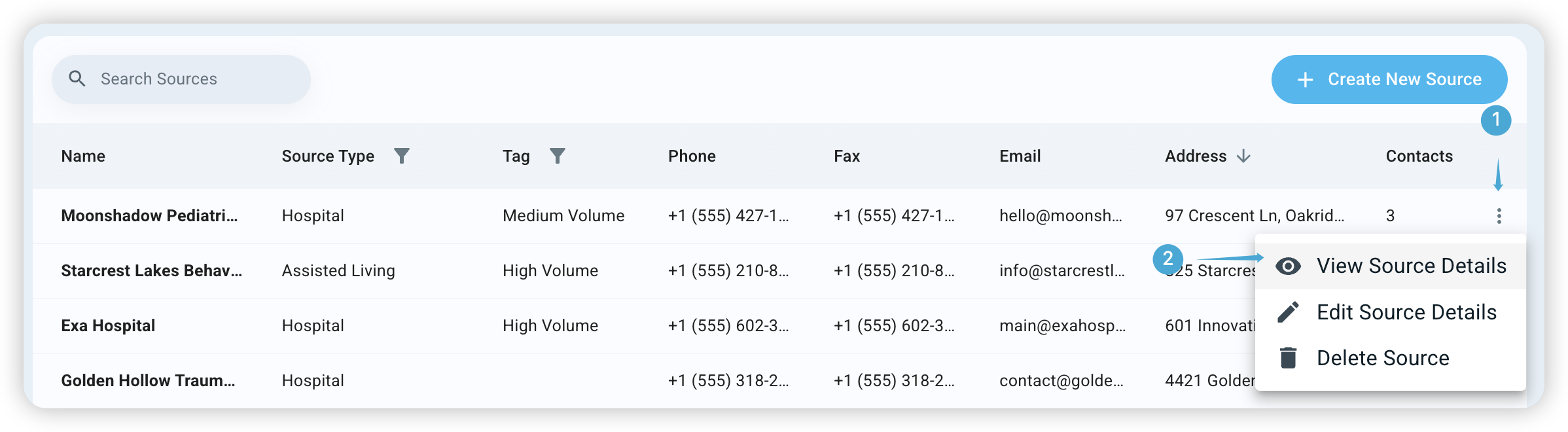
To edit Source details, (1) click the actions button and (2) click Edit Source Details
Make any necessary changes and click confirm

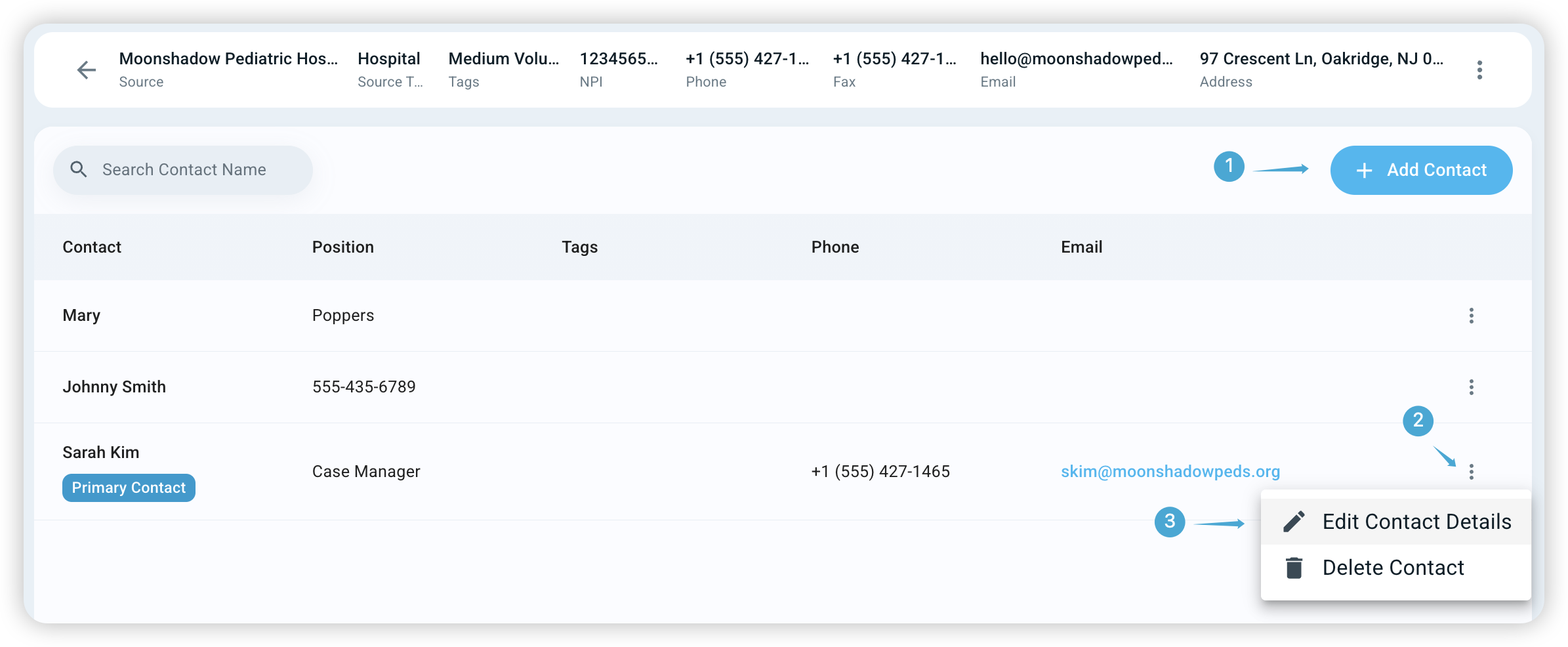
To add or edit Source Contact information, (1) click the actions button and (2) click View Source Details
To add a source contact, (1) Click + Add Contact. To edit a contacts details, (2) click the actions button and (2) click Edit Contact Details