7. Sorting and name display options in Managed Care Agent
Last updated: September 10, 2026
Managed Care Agent gives you more flexibility to organize your Prior Authorizations and Concurrent Reviews tables, making it easier to find patients and prioritize the authorizations you want to review.
You can customize how patient names are displayed and sort your full authorization list based on name or relevant dates. Your sorting preferences will persist as you navigate through the table.
Changing the patient name format
In both the Prior Authorizations and Concurrent Reviews tables, you can choose how patient names are displayed:
First Last, for example, Jane Smith
Last, First, for example, Smith, Jane
To change the name format, select the sort icon in the Name column and choose your preferred format.
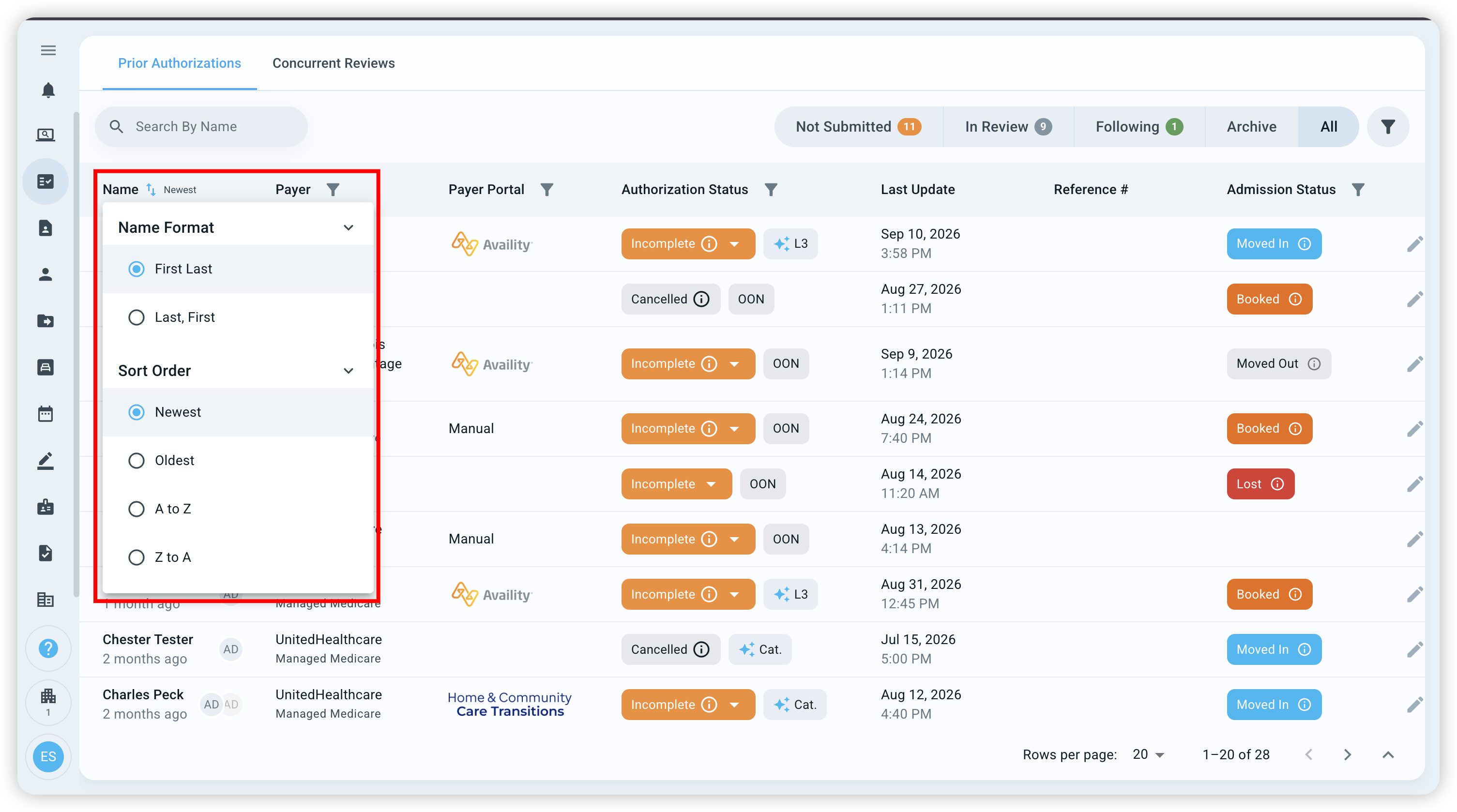
Your selected name format also determines how alphabetical sorting works. For example, if you select Last, First and sort A to Z, patients will be sorted alphabetically by last name.
Sorting Prior Authorizations
From the Prior Authorizations table, you can organize your authorizations by patient name or date.
Select the sort icon beside Name to choose from:
A to Z
Z to A
Newest
Oldest
You can also continue to sort using Last Update. By default, Prior Authorizations display using First Last name format and are sorted by Newest Created Date.
Sorting Concurrent Reviews
From the Concurrent Reviews table, you can sort your reviews alphabetically by patient name or by Next Review Date.
Select the sort icon beside Name to sort:
A to Z
Z to A
You can also sort by Next Review Date:
Oldest
Newest
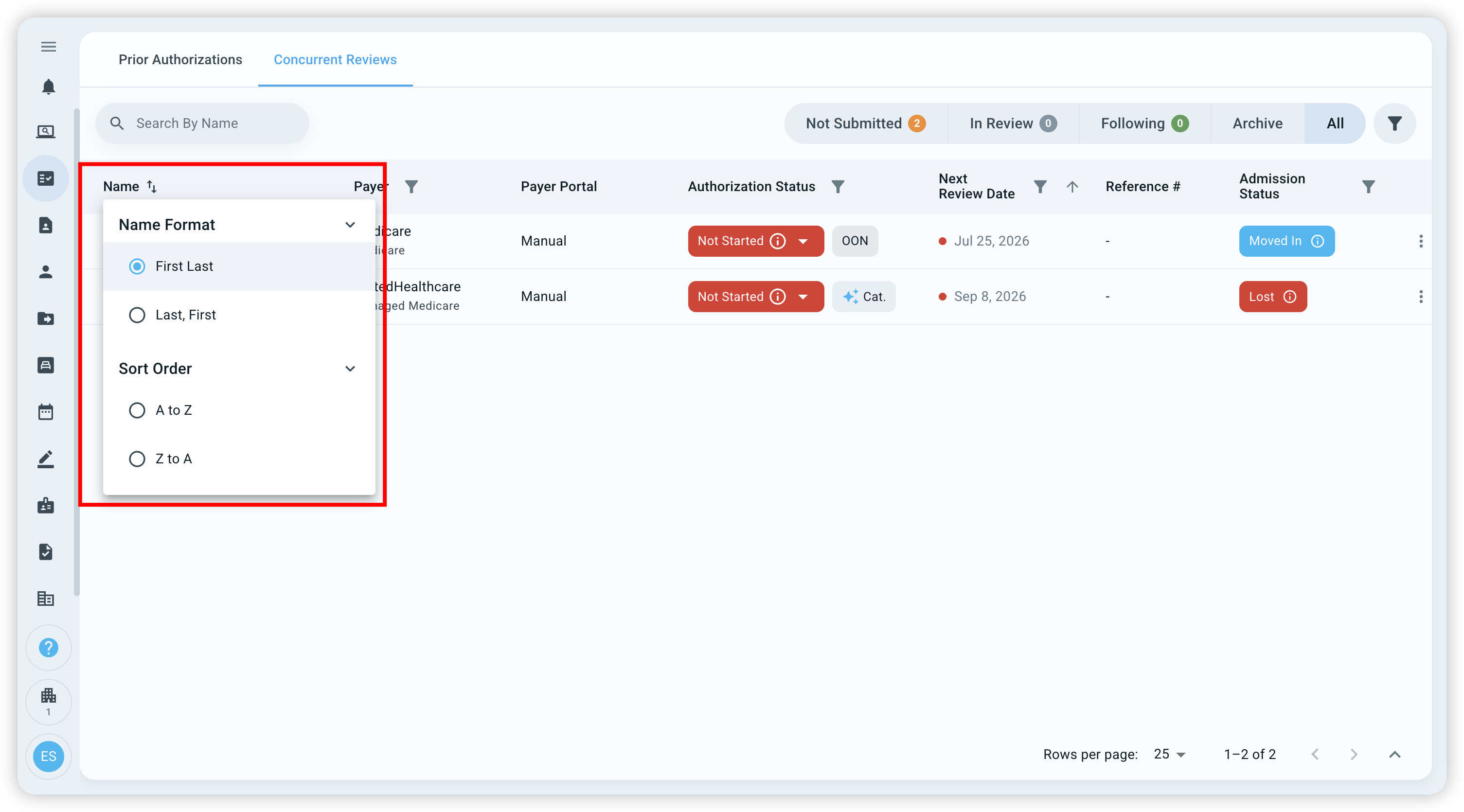
By default, Concurrent Reviews display using First Last name format with the oldest Next Review Date first.
Using sorting with filters
Sorting works alongside your existing filters. When filters are applied, Managed Care Agent will sort all authorizations that match those filters, not just the patients displayed on the current page.
Prior Authorizations and Concurrent Reviews maintain their preferences separately, so changing how you organize one table will not change the other.
Need Some Support?
If you'd like some extra support, contact exacare support via the in-app chat!