3. Screener Settings
Last updated: June 11, 2026
Screener Settings allow Admins to configure how the Screener component functions within your organization.
Finding Screener Settings
Click the Admin Hub tool in your navigation bar.
Select the Screener Settings.
Usage Overview
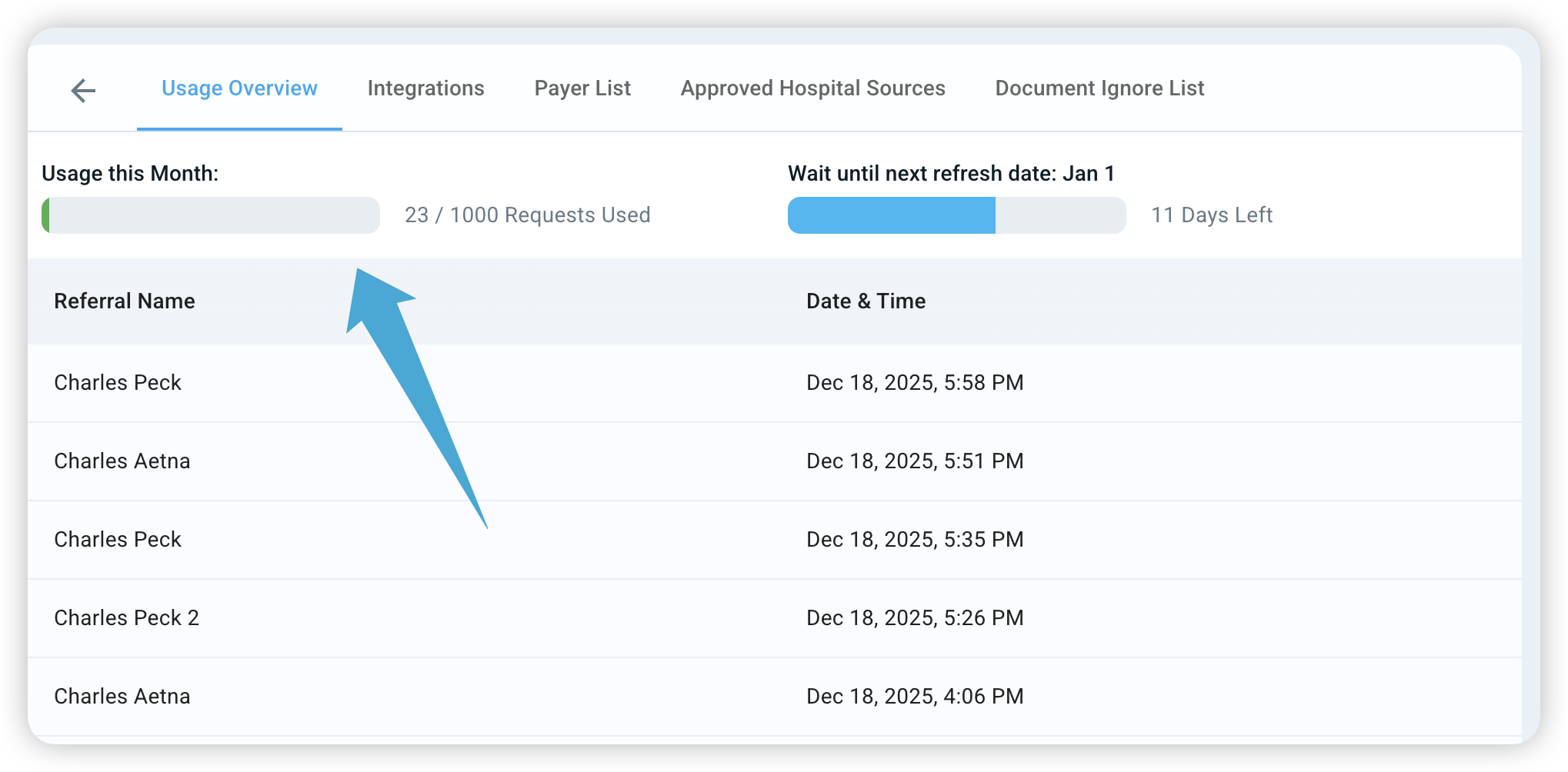
Under the 'Information Usage' tab, you can see how many referral requests your organization has used for the month.
Note: If you are nearing your monthly limit, simply contact the exacare team to increase your request capacity.
Referral Integrations & Document Retrieval
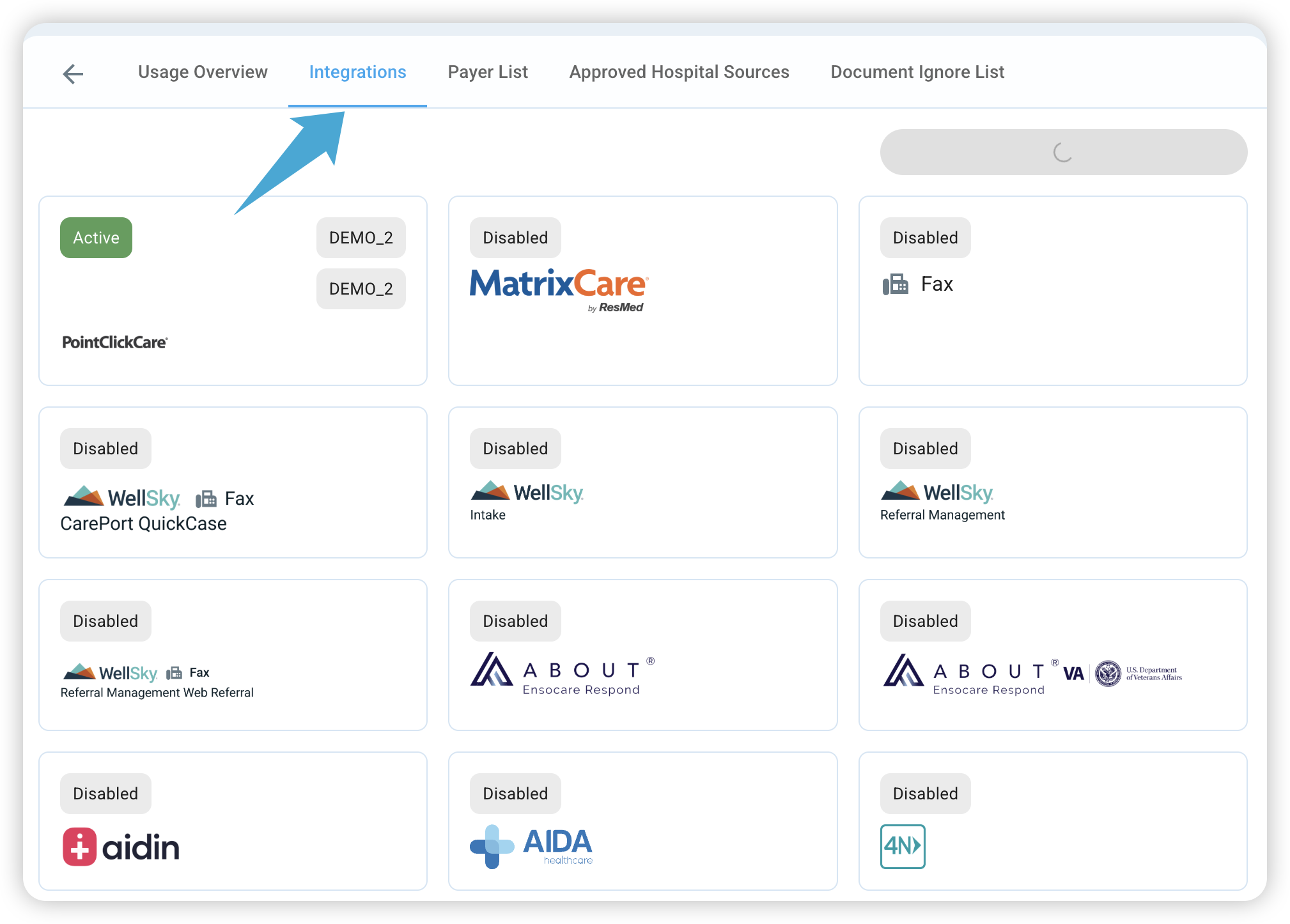
The Integrations tab shows which referral platforms (e.g., CPI, ExtendedCare, Ensocare, EPIC) are currently connected to exacare.
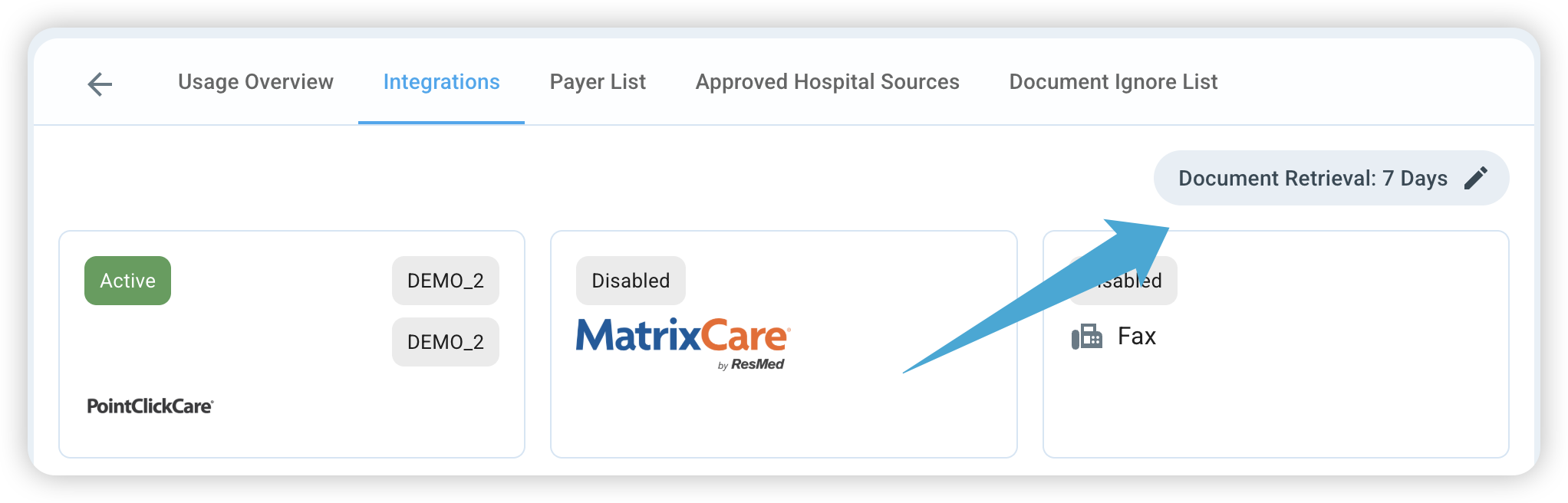
Document Retrieval Window: By default, exacare's AI retrieves documents added to a referral within the last 7 days.
Adjusting the Window: You can increase this to 14 days or more in the top right corner.
Warning: Increasing this number too much may cause the AI to pull in older, less relevant documents that could clutter your review and slow down the time it takes for the AI to analyze the referral.
Filtering Your Data
Approved Hospital Sources: If you only want to receive referrals from specific hospitals, they will be listed here. To add a specific hospital to your 'Approved' list, please reach out to our support team.
Document Ignore List: If there are common documents (like routine lab results) that don't help your decision-making, you can add them here.
Quick Tip: If you notice the AI is analyzing too many unnecessary pages, check your Document Ignore List. Adding documents here helps the AI focus only on the most relevant clinical information.