6. AI features
Last updated: June 11, 2026
Overview
Exacare's Data Center includes powerful AI capabilities to help you understand your data faster, uncover insights, and build custom reports effortlessly. This guide covers all the ways you can leverage AI across the Data Center.
1. AI Summaries on Dashboards
What are AI Summaries?
AI Summaries are intelligent tiles that automatically analyze your referral data and surface key insights. The AI reads unstructured comments and text across your data, identifies patterns, and synthesizes them into actionable trends and insights—no standardized categories or dropdown selections required.
Where to find AI Summaries
AI Summary tiles appear directly on relevant dashboards, including:
Referral Trends - Decline and lost reason breakdown and analysis
Response Time Analysis - Time to accept and time to final decision trends
AI suggestion - AI suggestion alignment with team decisions
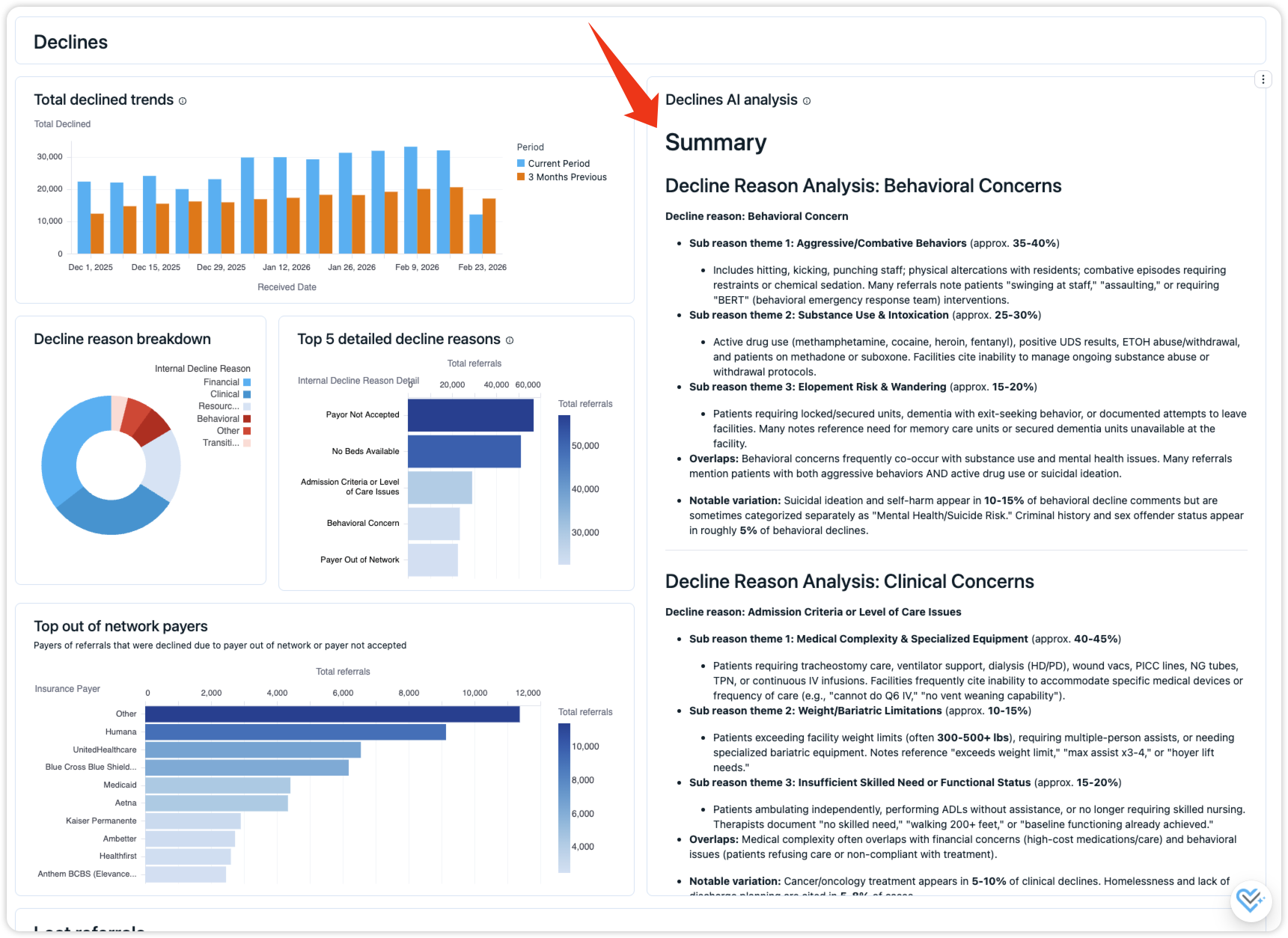
Ask follow-up questions
After reviewing the AI Summary tiles, you can dig deeper by using the AI Dashboard Assistant (click the exacare icon in the bottom-right corner) to ask follow-up questions such as:
"Which facilities have the highest percentage of behavioral declines?"
"How have clinical decline reasons changed over the past three months?"
"What are the specific insurance payers mentioned in financial decline comments?"
"Show me the actual comments that were categorized as acuity-related declines"
The AI can search through the original unstructured comments and provide detailed breakdowns based on your specific questions.
2. AI Dashboard Assistant
What is the AI Dashboard Assistant?
The AI Dashboard Assistant is a conversational AI tool that helps you better understand your data by answering questions about your dashboards, highlighting key findings, and explaining what those findings may mean. It provides helpful context around trends and results so you can interpret your data more confidently and efficiently.
How to access the AI Dashboard Assistant
Navigate to any dashboard within the Data Center
Look for the exacare icon in the bottom-right corner of the screen
Click the icon to open the assistant in a chat-style window
Done! You can begin asking questions immediately
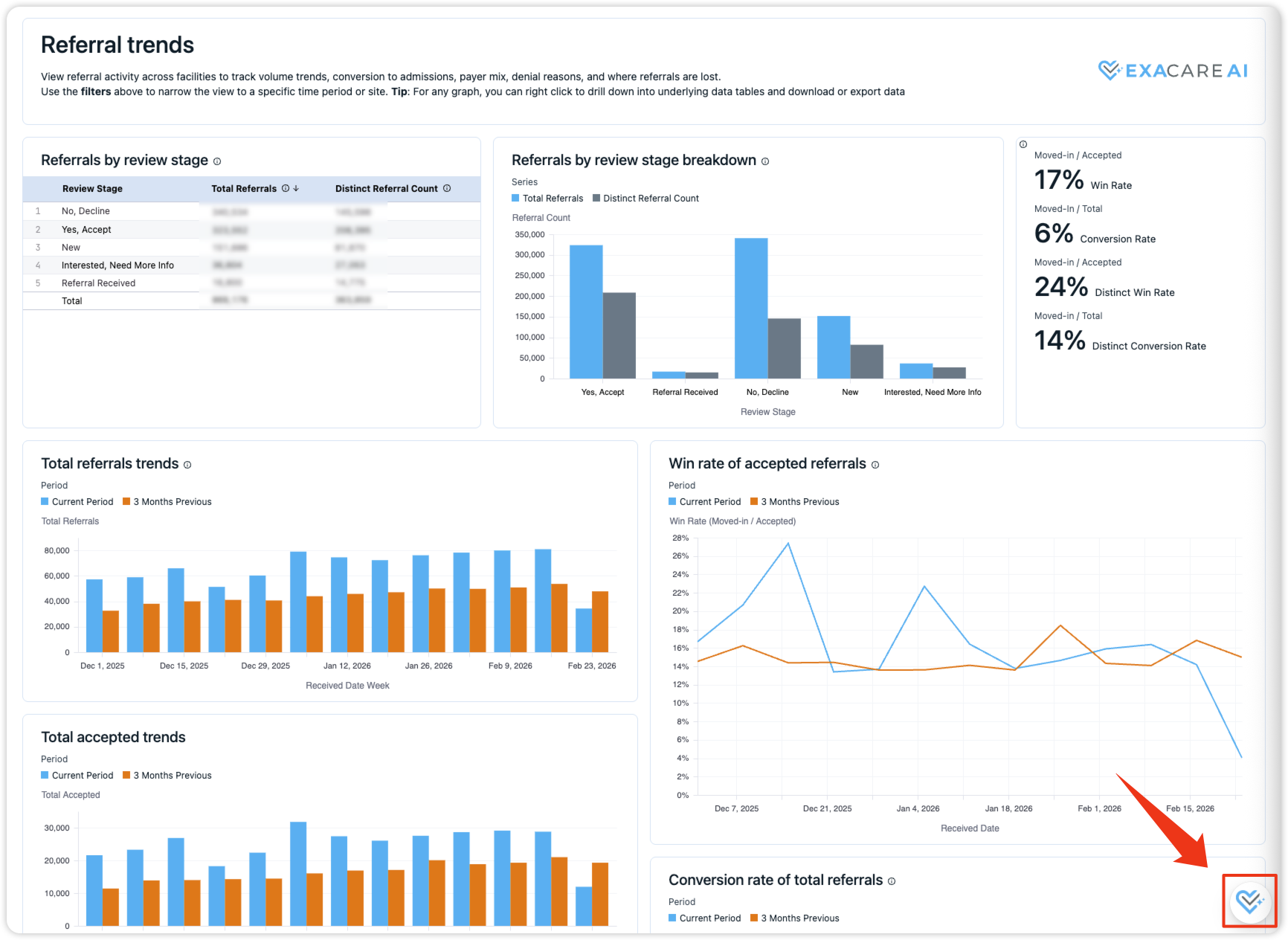
How to use the AI Dashboard Assistant
The AI Assistant can see all the data on your current dashboard and answer follow-up questions:
Example conversation:
You: "Of the payers that are in the category 'other', what are their payer types?"
AI analyzes your dashboard data and provides a breakdown
You: "How do different insurance payer types compare in terms of acceptance rate?"
AI generates a query and returns acceptance rates by payer type with visualizations
Advanced features
Attach files to your questions:
Click the attachment icon next to the send button
Upload Excel spreadsheets or other data files
Ask the AI to analyze or extract specific information from your file to incorporate into the analysis
Important notes:
Chat history is not saved when using the AI Assistant on standard dashboards
For persistent chat history, use Exa AI in Custom Reports (see below)
3. AI on Individual Tiles
What is this feature?
This feature allows you to gather key insights and ask questions specific to individual tiles on your dashboard, rather than the entire dashboard.
How to access AI on individual tiles
Locate the tile you would like to ask a follow-up question about
Click the 3 dots in the top right corner of the tile
Select "Ask a follow up question"
The AI Dashboard Assistant will appear on the right side of your screen
Ask away! Any questions related to your specific tile can be answered here
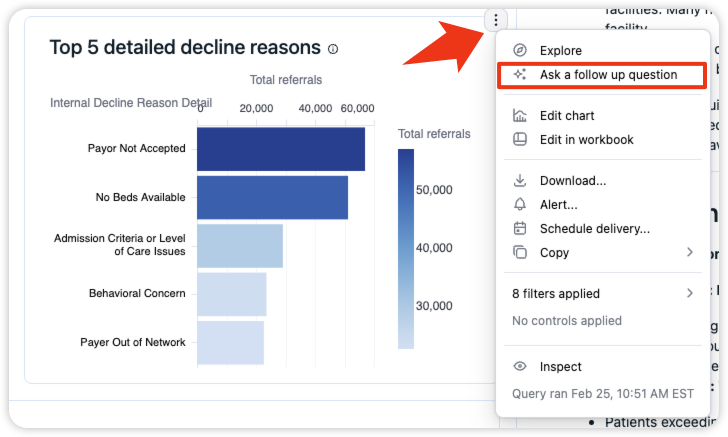
4. AI Assistant in Custom Reports
What is the AI Assistant in Custom Reports?
The AI Assistant in Custom Reports lets you explore all your data by asking questions in natural language. Unlike the dashboard AI Assistant (which is limited to the data on a specific dashboard), the AI Assistant in Custom Reports can access and analyze your entire dataset. It generates custom queries, builds reports, and helps you uncover insights across all your referral data.
How to access the AI Assistant in Custom Reports
Navigate to Custom Reports
Start a new query
Type your question directly in the body of the workbook
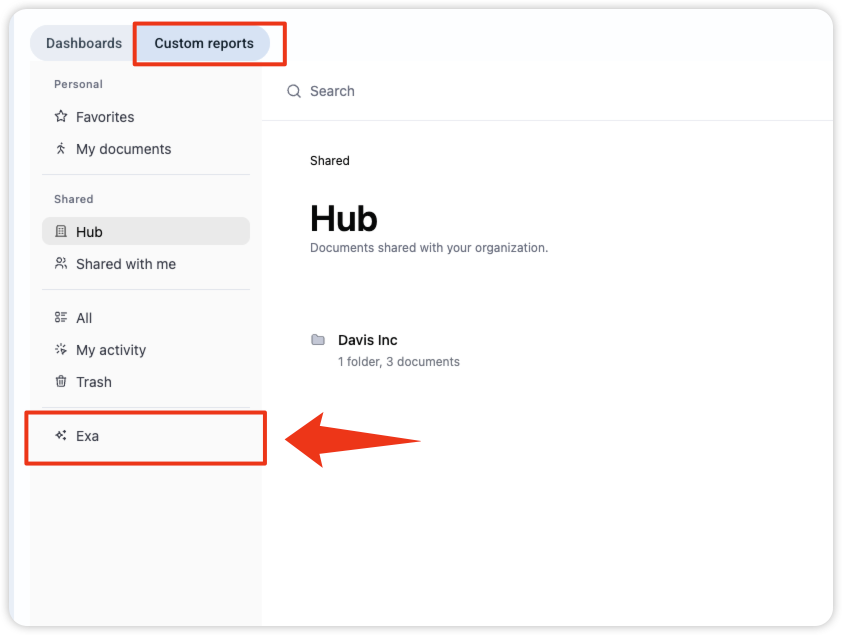
Key benefit: The AI Assistant in Custom Reports saves your chat history, so you can return to previous conversations and continue where you left off. This makes it ideal for iterative analysis and building complex reports over time.
5. Common Prompting Questions for the AI Assistant
Here are example questions to help you get started:
Referral volume and performance insights
How many referrals were received this month?
What is the current win rate for referrals?
How does this month's win rate compare to previous months?
How many referrals were accepted versus declined?
What are the most common reasons for referral declines?
Demographic and patient insights
What are the most common referral sources?
What are the most common payer types?
How do insurance payer types impact referral acceptance rates?
Time-based analysis
Show me referral trends by week for the past quarter
What are the move-in patterns by day of week?
How has our response time changed month over month?
Facility comparisons
Which facilities have the highest acceptance rates?
Compare decline reasons across all my facilities
Show me median response times by facility
Tips for Getting the Most from AI Features
Be specific with your questions
Instead of: "Tell me about referrals"
Try: "What percentage of Medicare referrals were accepted in February 2026?"
Ask follow-up questions
The AI can dig deeper based on initial results
Build on previous questions to uncover patterns
Use AI Summaries as a starting point
Review the AI Summary tiles first
Then use the AI Assistant to ask more detailed questions about patterns you notice
Combine AI tools with custom filters
Apply filters to your dashboard (facility, date range, payer type)
Then ask the AI Assistant questions about the filtered data
Experiment with file attachments
Upload your existing reporting templates
Ask AI to extract and populate data
This can save significant time on routine reporting tasks
Need Help?
If you have questions about using AI features in the Data Center, reach out to your exacare Customer Success team. We're happy to provide training and support to help you get the most value from these tools.