Accessing exacare on Your Phone
Last updated: June 11, 2026
Adding exacare to Your Home Screen:
Use Google Chrome to access app.exacare.com
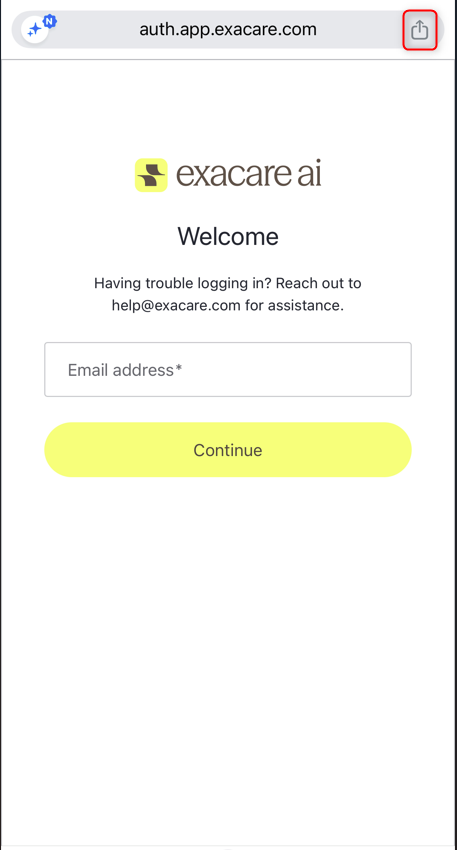
Click the 'Share' icon at the top right of the screen (highlighted in red box)
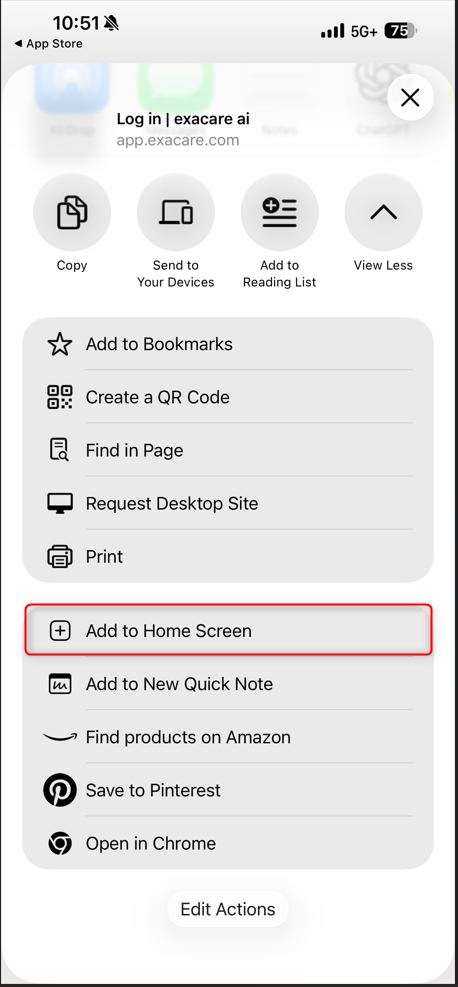
Scroll down and click 'Add to Home Screen' (highlighted in red)
Keep your phone vertical to access the full mobile app's functionality.